
Troubleshooting
Reading the logs
Logs are written to the console and to the logs/ folder of the application (all.log, warn.log, exceptions.log). Log messages are in French.
| Installation | Command |
|---|---|
| Docker | docker compose logs -f |
| Linux service | journalctl -u save2erp -f |
| Files | logs/all.log |
The level of detail depends on LOG_LEVEL: info is recommended in production, debug for an analysis (the addresses called are shown).
At startup
The startup logs must show:
Licence : …with the customer, the number of users and the end date;- for each declared system, its environment, or the reason why it is refused;
- in
httpsmode, the certificate and its expiry date (warning 30 days before); Server HTTPS started on port …(orServer HTTP started…behind a proxy).
An unusable configuration (unknown protocol, invalid port, unreadable certificate, missing signing key…) prevents startup, with an explicit message.
The test page
The https://<server>/test page checks the connection to the target system without Word, in a browser:
- Choose a system in the list (the systems declared in
.env), then click "Sign in". - Sign in in the target system's window and authorize access.
- Click "Run the test": the server calls the target system's test service, without changing anything. "Everything is OK" confirms that the connection and the user's permissions are correct.
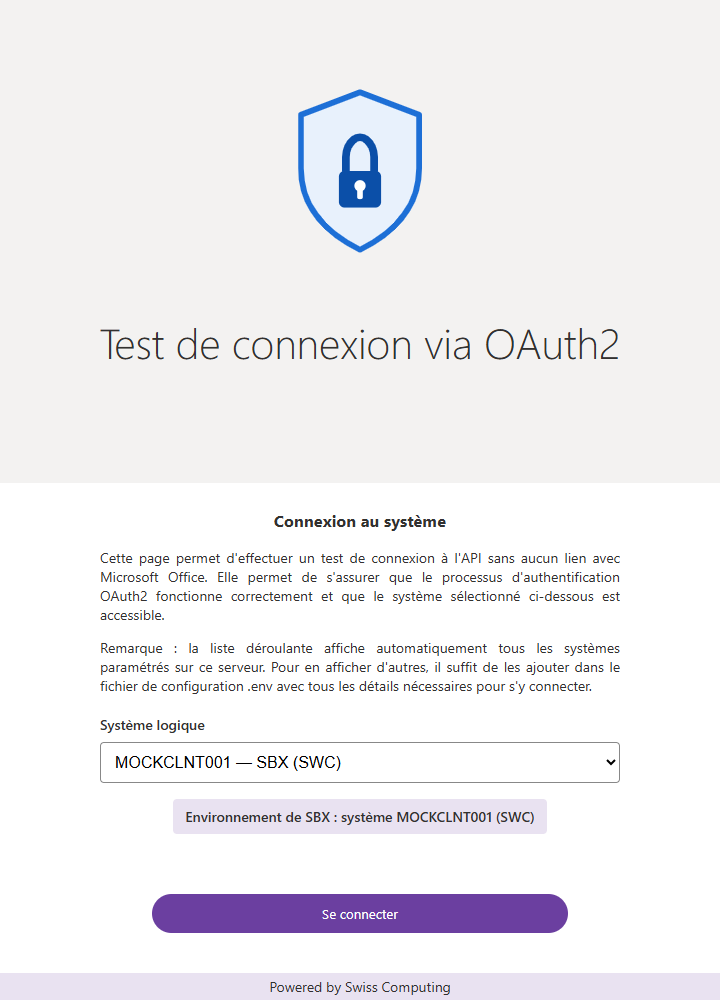
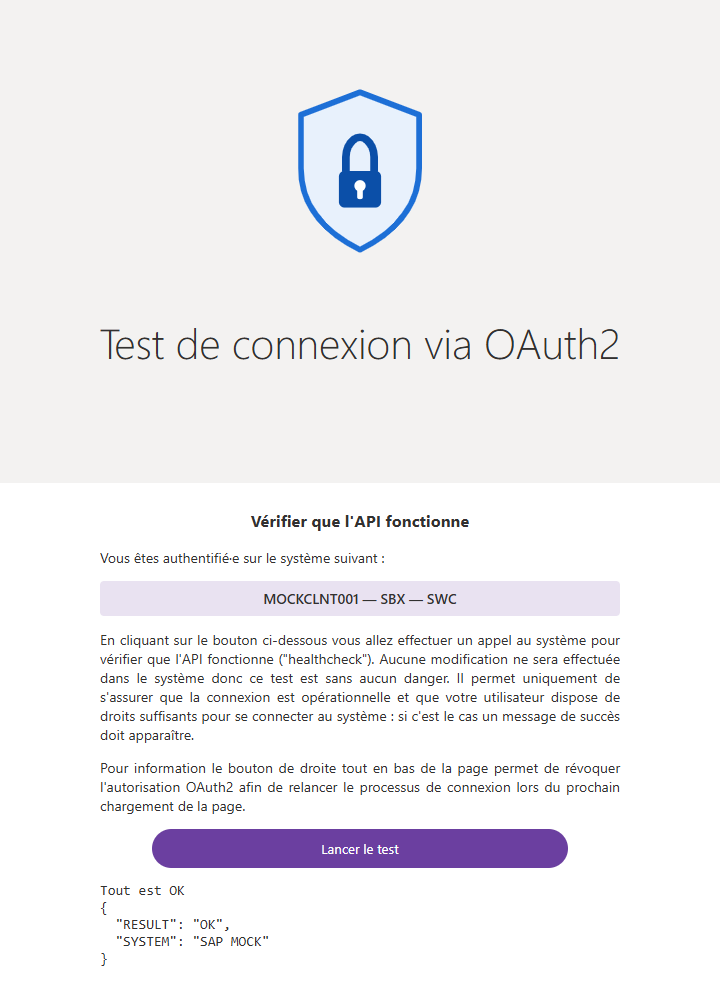
The test page remains available without a valid license. It shows the server's error codes as is (see Error codes).
Common problems
| Symptom | Probable cause | What to do |
|---|---|---|
| The button does not appear in Word | Add-in not deployed for the user, or Word not restarted. | Check the deployment (see Deploying in Microsoft 365). |
| The pane stays empty or shows a certificate error | Server unreachable, or certificate not trusted by the computer. | Open https://<server>/test from the user's computer. |
| Unknown system | The system in S2E_SystemKey has no block in .env. | Add the system (see Configuring the server). |
| System misconfigured | Incomplete block, unknown environment, invalid timeout or path. | The reason is in the startup logs. |
| Sign-in failed | OAuth2 client refused, different redirect URI, sign-in took too long. | Check OAUTH_CALLBACK_URI and the target system's OAuth2 client; details in the logs. |
| The target system is temporarily unavailable | The server cannot reach the target system, or it does not answer in time. | Check the network between the server and the target system, and SAP_CALL_TIMEOUT_MS. |
| Target system error | Technical error of the target system (5xx). | Details are in the logs of the server and of the target system. |
| Cookies blocked | Word for the web, browser blocking third-party cookies. | See Requirements. |
| Identity verification failed | Word version without nested app authentication, missing consent, conditional access. | Update Word, check the admin consent (see Deploying in Microsoft 365). |
| Identity rejected | The Microsoft token was refused, or the server cannot reach Microsoft ("Microsoft unreachable from the server" in the logs). | Check the server's access to login.microsoftonline.com. |
The full list of codes is in Error codes.